

- Game: Capslock
- Developer: Sticky Platypus
- Review Platform: Steam
- Release Date: 15th August 2024
Author’s Note: A Game Key for Capslock was kindly provided by Sticky Platypus
In Capslock, you find yourself inheriting your Grandfather’s typewriter store. However, everything is not as it seems. Your task is to revitalize and revamp the business and bring it into the modern age. Instead of typewriters, you find yourself jumping into the world of designing custom keyboards instead.
Key Features in Capslock
While Capslock is still in early access, the game has plenty to offer from the start! Here’s a quick glimpse of some of the many features that come with the game:
- Stock Management
- 130+ Skins
- 260+ Custom Keys
- 270+ Symbols
- Create RGB sequences
- Freedom to create the most unique custom keyboards
A New Business Venture Awaits
Upon launching into Capslock for the first time, your first task is to choose a store name. For my play-through, I decided to name my store Key Leeks it just seemed fitting and something easy to go with.
Now before designing my first keys, Grandfather left us a little letter via email. Wishing us the best of luck in modernizing his business now that he has handed it over to us so he can enjoy his well-earned retirement.
With that being said, it’s time to start getting creative and make our first custom keyboard.
There are a few options you can choose from to start with:
- 1 Key Keyboard
- 3 Key Keyboard
- 6 Key Keyboard
- 61 Key Keyboard
- 108 Key Keyboard
- First Edition Keyboard
- Numpad Keyboard
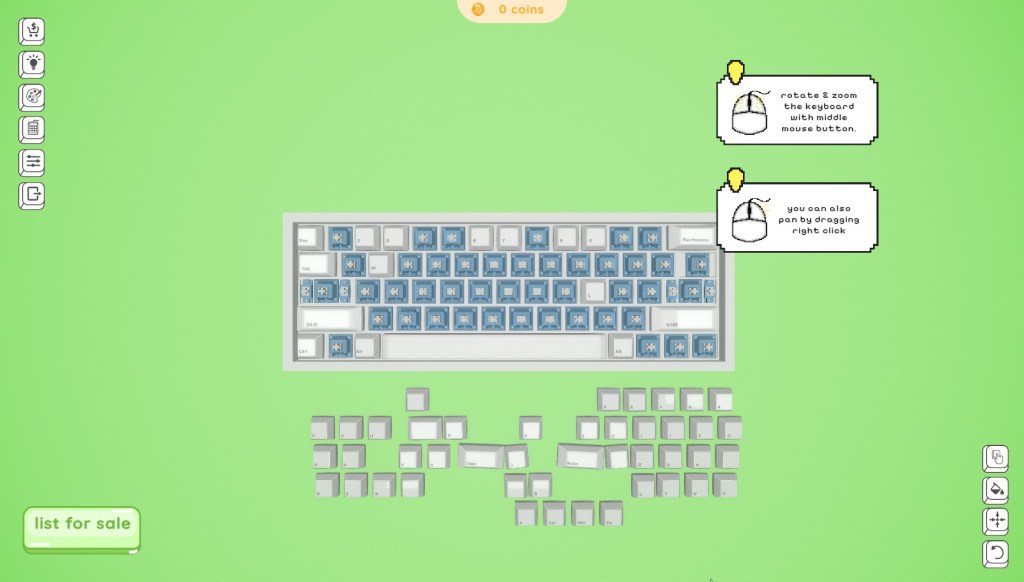
For our first test, we wasted no time in diving in and customizing a 61 Key Keyboard!
Building The First Keyboard
The first step was to place each of the keys on the keyboard, this didn’t take me too long to do and was soon underway in customizing different aspects of the keyboard. From the colour of individual keys to the whole keyboard, the font on the keys, different symbols, the RGB lighting and the key switches. This was a lot of fun just experimenting and messing around with the different aspects of the keyboard. Don’t worry, you can also autofill the keyboard if you wish to save time instead of individually placing keys.
There is absolutely no right or wrong way to go about building up each keyboard. You can even hit the randomize button for a truly unique-looking keyboard.
For my first attempt, after playing around with the settings, I kept it pretty simple. Used the resources that I had available, made a few mistakes, started over and ended up with something that didn’t look too bad. You don’t have to keep it simple at all, you can go all out and create some truly crazy and interesting designs.
I now present to you, the Key Leeks v1.0.
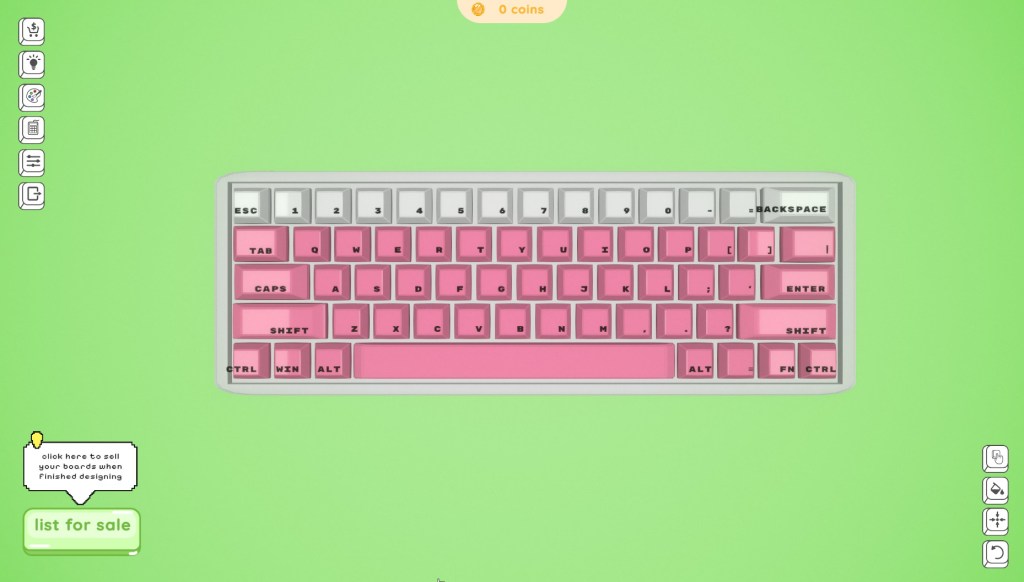
Upon completion of the keyboard, I listed it for sale and soon after got a little notification letting me know someone was interested in purchasing the keyboard. $95 later, and I now have some coins that I can use to expand my stock.
Before diving into my next creation, I explored the store to see what options I had. I even checked out the seasonal Halloween content that has recently been added to the game too. It only felt fitting to attempt to create something a little spooky for my next keyboard.
The Store
The store allows you to buy not only seasonal Halloween items but also a range of different colours for keys, stickers, skins, symbols and keys.
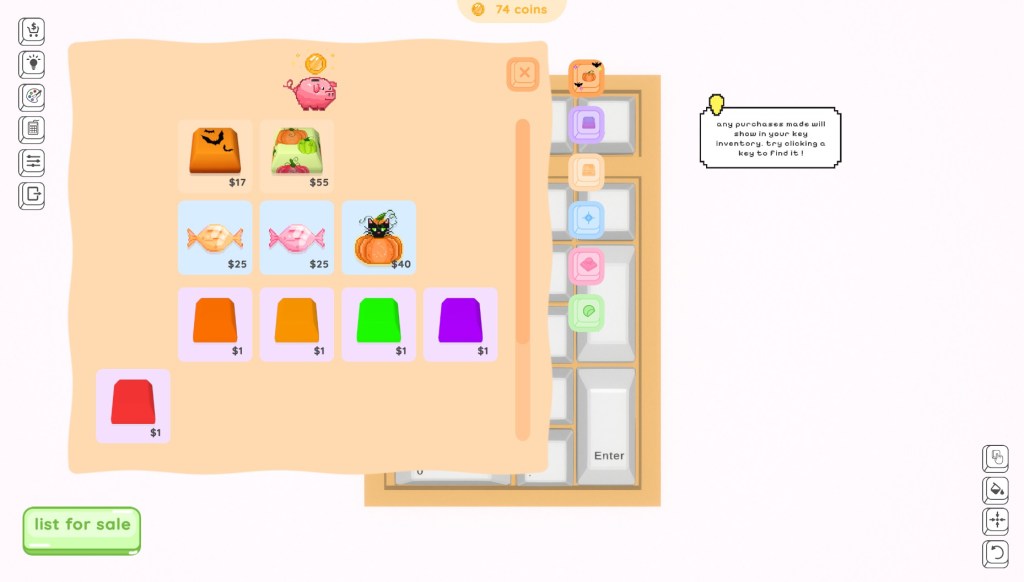
There are plenty of colours to choose from as well as designs across the stickers, skins and more that allow you to create so many different variants of keyboards.
One thing that I’m still learning is exactly what combination of all the different features will give you a hit keyboard and earn you more coins. However, this is a lot of trial and error, and I’m happy to be getting coins to unlock more options.
Overall Thoughts
I’ve really enjoyed playing Capslock, I can just sit back and relax and not feel stressed as to what I need to do next. I can sit and create as many keyboards ranging from just one key to a full size without any problem, list them for sale and continue to create more.
While the game is currently in early access, don’t let that fool you. It’s small but mighty. I’m curious to see what other plans the team have in store for the game going forward!
So, if you are looking for a chill, casual game to play, certainly take a look at Capslock on Steam now!
Thank you once again to the Sticky Platypus Team for sending me a key to check out the game!

 leekscosycorner